Eggsile
My contributions to Eggsile!
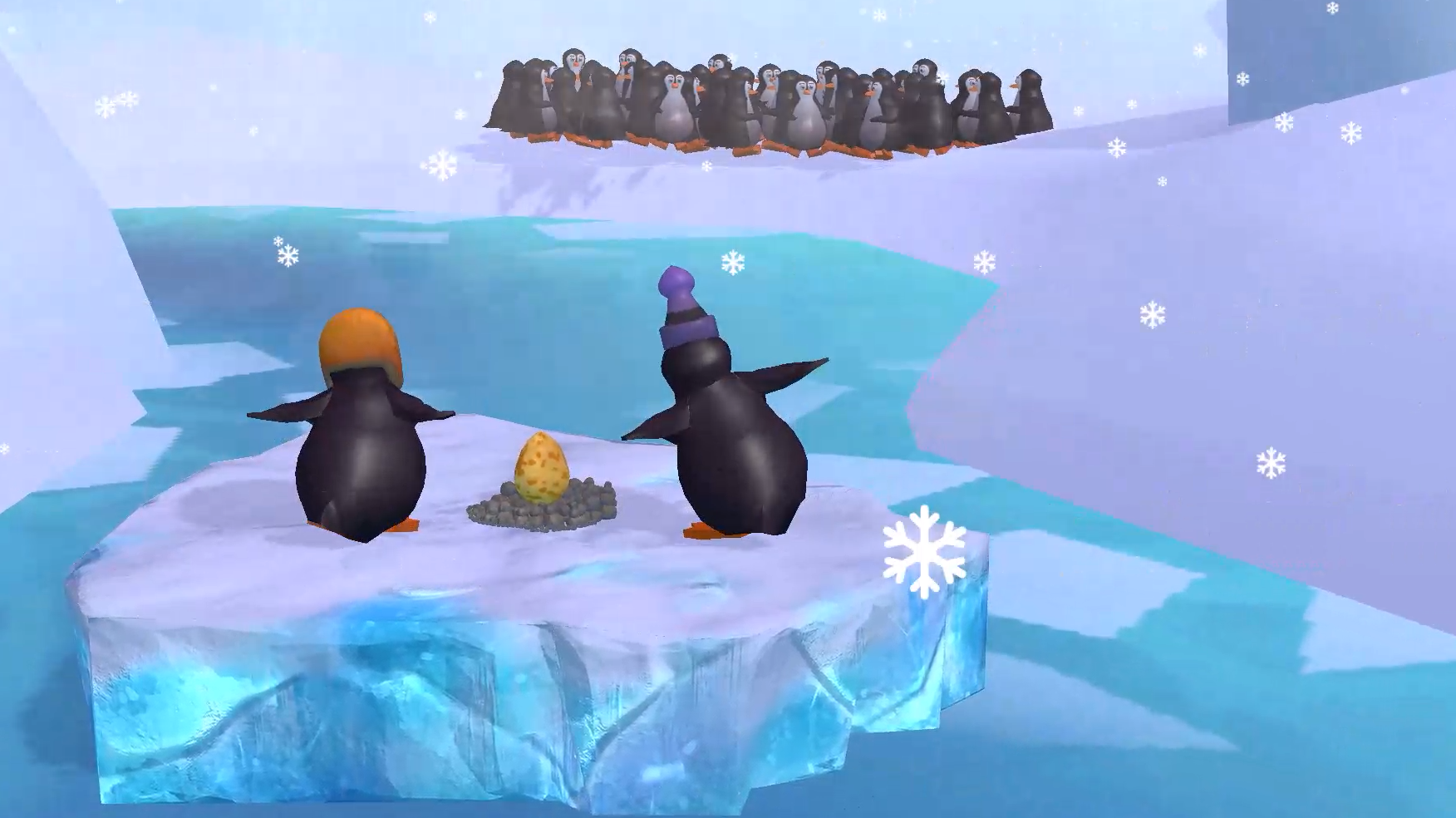
I was a programmer during Eggsile, and I was responsible for 1 main, crucial mechanic in our game, The Throw/pickup/catch egg mechanic.
During Eggsile, I was responsible for implementing a core gameplay mechanic: the throw, pickup, and catch egg mechanic. This mechanic played a crucial role in the overall gameplay experience and required careful planning, implementation, and debugging.
Developing the throw/pickup/catch mechanic posed several challenges. Before I could begin working on the mechanic itself, I had to wait for the player movement system and input handling to be completed. This was handled by my teammate Doruk. Once that was in place, I could start developing my script, ensuring that it seamlessly integrated with the existing player movement system. (image below)
-
The player approaches an egg and presses Square (on a PS controller) or X (on a Xbox controller) to pick it up.
-
Once the egg is picked up, the player can prepare to throw it by pressing Triangle (PS) or Y (Xbox).
-
Holding RT increases the throw distance, while LT decreases it.
-
A visual indicator (a trajectory line) helps the player predict the landing point of the egg before throwing.
-
If the player wishes to cancel the throw, they can hold LT to bring the trajectory back to its starting position, allowing them to move again.
-
The player may also drop the egg without throwing it by pressing Square/X again.
-
If another player is in range when the egg is thrown, they will automatically catch it.

To achieve this (the trajectory line), I made use of Unity’s Line Renderer component. The trajectory indicator is represented as a line drawn from the player towards the target landing position. Additionally, I included a circle indicator at the end of the trajectory to visually represent where the egg would land.
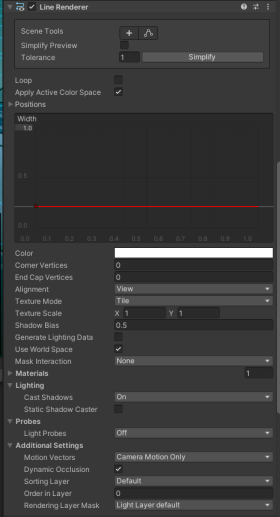
The circle is made up of an empty game object with a sprite renderer displaying the sprite/circle.
In the script, the Update Trajectory method handles the trajectory line and that the circle stays on top of any collision layers that the user can choose in the script on the player (image below)
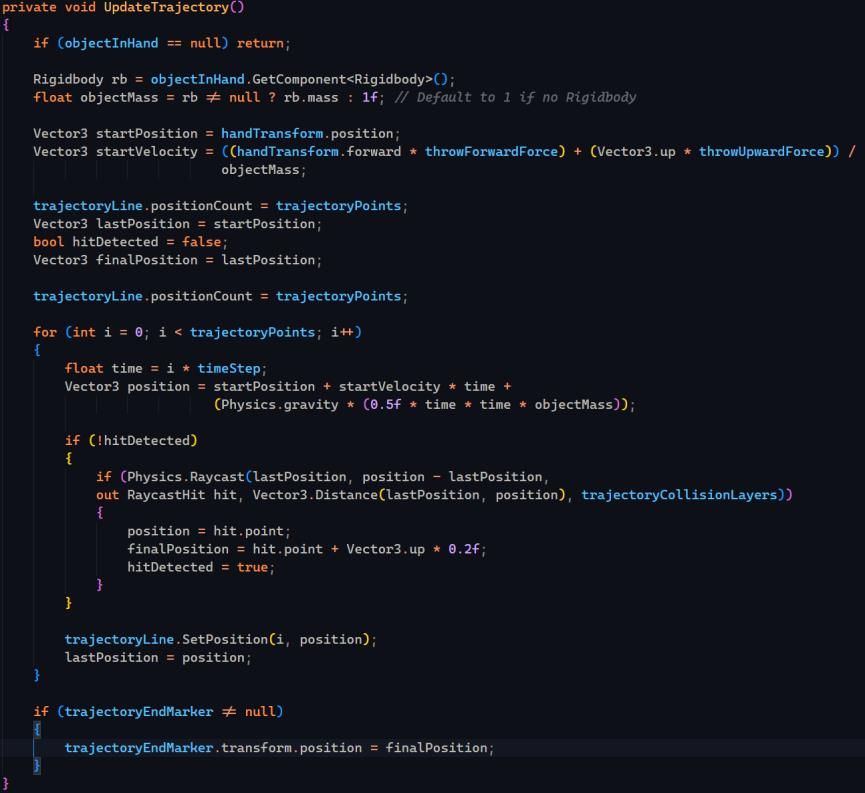
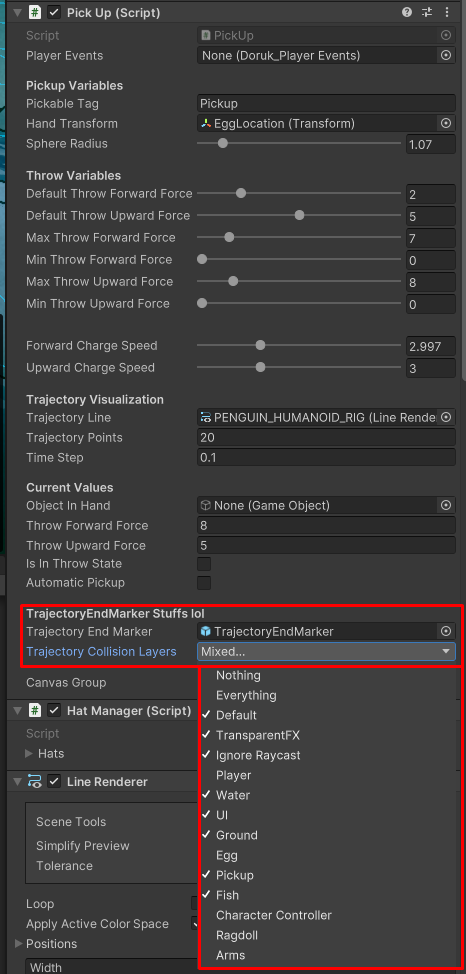
With this the circle always stays on top of any of the layers the user chooses, like in the image shown above.
One issue with this method is that if no valid collision layer is detected, the indicator defaults to the player’s position. This is an issue that could be improved by either making the indicator disappear or displaying a warning indicator that the egg will fall into an invalid area (such as water or a void) and die.
When the egg is thrown and, in the air, another player can catch the egg. This player doesn’t have to press any button to catch the egg, the egg will be caught automatically. And the other player can press the same buttons to throw the egg again with the same charge and landing indicators.
There were sure some difficulties while trying to create all these things in the mechanic.
-
Initially, I struggled with applying forces and gravity correctly to ensure the egg behaved naturally when thrown. After researching Unity’s Rigidbody physics and experimenting with different values for force and mass, I was able to make a realistic throw.
-
We established naming conventions early in the project, but as multiple programmers worked on the same files, it became increasingly difficult to enforce these conventions. A solution for future projects would be to implement stricter code reviews.
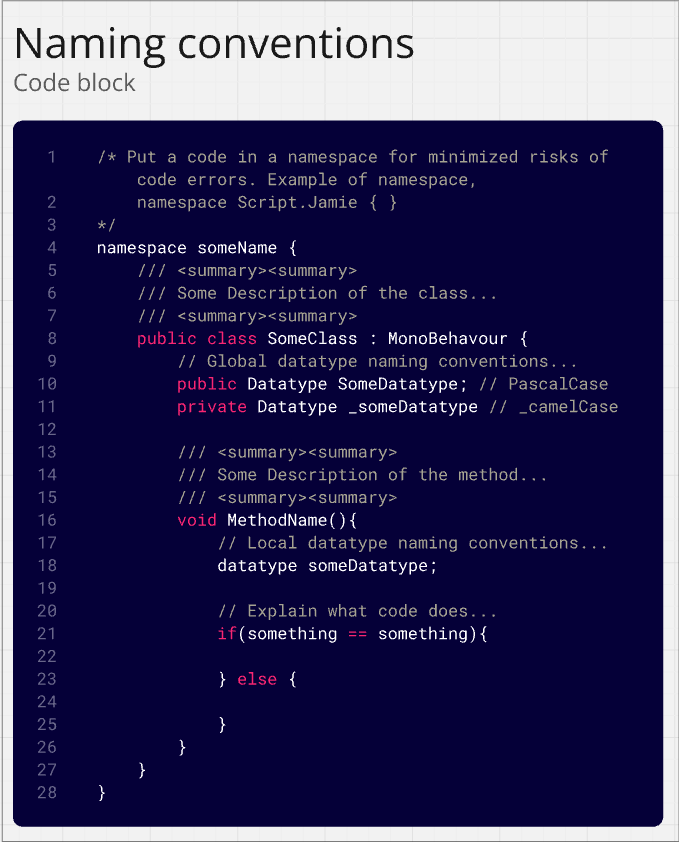
While we/I made an effort to document our code, I believe that I could have done a better job in adding comments to clarify functionality for non-programmers (such as designers). Improving this in future projects would help make debugging and collaboration easier.
A good thing about us in the group is that I felt like we had very good communication between all of us, the programmers, designers (including XR) and artists.
Us programmers made sure the designers knew about what we were doing and when something is done instantly to make sure we get as much work and testing in as possible. I also made sure to ask others if they needed help with for example Perfoce or anything in Unity. Thankfully we didn’t have that many major issues with perforce which was very fortunate.
We used Miro to brainstorm ideas which worked very well for our team. We also use Jira which also worked very well in our team and we made sure to create sprints to not overscope that much, I also made sure to update any tasks I was working on in Jira to make sure the designers knew what was finished or still worked on. We also had daily standup meetings on Discord to ensure everyone knew what was being worked on to minimize file conflicts. And since we had our artists in Karlstad these meetings were very important to have.
Retrospective, what I learned from this project;
Reflecting on this project, I gained a lot of experience in physics-based interactions, and team collaboration. Another very important thing that I learned is very important is that breaking tasks into smaller milestones made development more manageable and helped avoid last-minute stress. This includes the sprints we made on Jira, it was good and easy to follow to avoid being stressed and to avoid overworking. I will definitely use Jira in the future since it helped me plan my development in the project.
If I had provided more documentation/comments or in-person explanations of how my script or code or parts of it worked, it would have made it easier for designers to interact with my system.
Things that I would like to improve in the future.
-
Now that I have created this script I will make sure to keep in mind that the indicator system should warn the player if the player tries to throw the egg in an invalid area (non collision layers)
-
I would like to refine the catching system to make it more dynamic, possibly by allowing for skill-based catching instead of automatic catches. This would ofcourse only apply for other games due to the automatic catching system being thought up and developed specifically for this game.
Overall I am proud of the things I made in Eggsile. Implementing and creating the throw/pickup/catch mechanic was a challenging but rewarding experience that helped me grow as a game programmer.
I worked closely with my lovely team to ensure smooth integration, tackled difficult technical challenges, and learned valuable lessons about planning, documentation, and collaboration. I will carry these things I learned to the future and the upcoming game projects!!
-Jamie
Check out Eggsile here: Eggsile on Itch